


Wonderful Workspace
Wonderful Workspace
Couldn't load pickup availability
Organize Your Business inside Google Workspace
Tackle your inbox, organize your files, and learn how to manage your creative energy with a streamlined business operation housed in Google Workspace👇
Here's what I know...
Running an online business is infinitely better when you can stay on top of emails, effortlessly save & find files in your Google Drive, and never have to question where you're saving your next project, task or to do list when your creative brain is in flow.
Wouldn't it be nice if someone setup a ready-to-implement system you could copy/paste and implement today?
Consider me your Business Administrative Assistant. I've done all of the work and for you; it's going to blow your mind and give you back hours to your work week!
Inside Wonderful Workspace, you will:
- 🌎 Organize and access your business files & resources anywhere you have access to the internet. Make switching from your desktop, laptop, and phone a breeze when you're working in a coffee shop or your dog demands snuggle time in the middle of an approaching deadline.
- 📁 Learn how to store + where to find files, folders, and reference materials with naming conventions that make sense and make collaborating a breeze. Import my entire Google Folder Structure in a matter of minutes.
- ⛅️ Setup Standard Operating Procedures (SOPs), routine project workflows, planning and decision making routines, and ongoing reviews & reflections so you can get to work and do the thing while honoring your energy capacity.
- 🖥 Optimize & declutter your Inbox and reduce email overwhelm with a streamlined system for reading, replying, and automatically filtering your Gmail.
- ✅ Simplify your task and project management by utilizing Google Docs & Google Tasks. I'll give you the templates, recommended setup, and the strategy.
Here's the breakdown of your Learning Workflow:
When you first enroll I'll provide you with a brief overview of the course and send you off with a complete Course Checklist right in Google Docs so you can track your progress.
👉 We'll start by Setting up your Google Workspace, I'll tell you which plan I recommend using if you want to go all in (it's the Business Standard Plan, btw) and I'll show you your different purchase options so you can get up and running in no time.
👉 I'll help you Declutter Your Email Inbox by showing you the exact Gmail settings to use to keep your space simplified. I'll hand over my 30+ email filters for you to import and customize, and we'll get those emails tackled in a 10-minute video.
👉 I'll show you how to Setup Your Focus Projects and use Google Tasks to get things done, create recurring reminders, organize your workflows, and capture tasks on the go.
👉 Next we'll Setup Your File / Folder System in Google Drive. You'll import my 100+ folder structure right into your drive and organize your files in a breeze!
👉 We'll Assess Your Current Time Availability by going through some quick exercises to map out your routines and see how much time (and energy) you really have each day/week.
👉 I'll walk you through Setting Up Weekly Theme Days & A Block Schedule so you can avoid decision fatigue and test drive different ways of working in your business.
👉 Next we'll Build Out Your Color-Coded Google Calendar. I'll show you the 6 main calendars you need to have and how to manage projects, setup a paid booking system, and other incredible strategies!
👉 I'll show you how to Use Workflows & Pomodoros for Focused Productivity with science-backed ways to take breaks & refresh your brain.
👉 We'll Capture All of Your Ideas & Refine Your Content Pillars inside the Idea Bank Google Sheet.
👉 I'll give you my template for Mapping Out Your Recurring Weekly Reflection & Reset.
👉 and we'll Create Your Business Policy & Protect Your Boundaries so you can easily identify the scope of the work you do, what you say yes and no to, and how to communicate it to your audience.
Not sure if this is the program for you? Sign up for my FREE Workshop on Getting Started with Google Workspace.
Program Access Includes:
- 🤩 Instant Perpetual (Lifetime) Access to All Course Materials, Trainings, Checklists, Templates & Tutorials
- 🖥️ 10+ Streamlined Modules with step-by-step tutorials to setup your Google Workspace, optimize your inbox, organize your Google Drive, coordinate your Calendar, and create a Sustainable Productivity System.
- ❤️🔥 Access to our Private Support Community on HeartBeat to discuss course materials, get additional help & support, and find other business besties.
- 👩💻 Year-Round Support from Sarah through our Private HeartBeat Group & Support Calls. Ask a question about course materials anytime and get feedback within 48 hours Monday - Friday. Annual Updates: Course is audited annually to reflect tech updates, student suggestions and feedback.
- 📌 Concise Actionable Curriculum: Around 5 hours of total watch time to help you implement what you learn more efficiently.
- 👂 Closed Captions (CC) / Subtitles on all videos with playback speed options.
This is a digital product. Nothing physical will ship.
All prices are in USD. Due to the instant digital nature of this program, I do not offer refunds. Your purchase includes instant lifetime (perpetual) access to all course materials and templates.


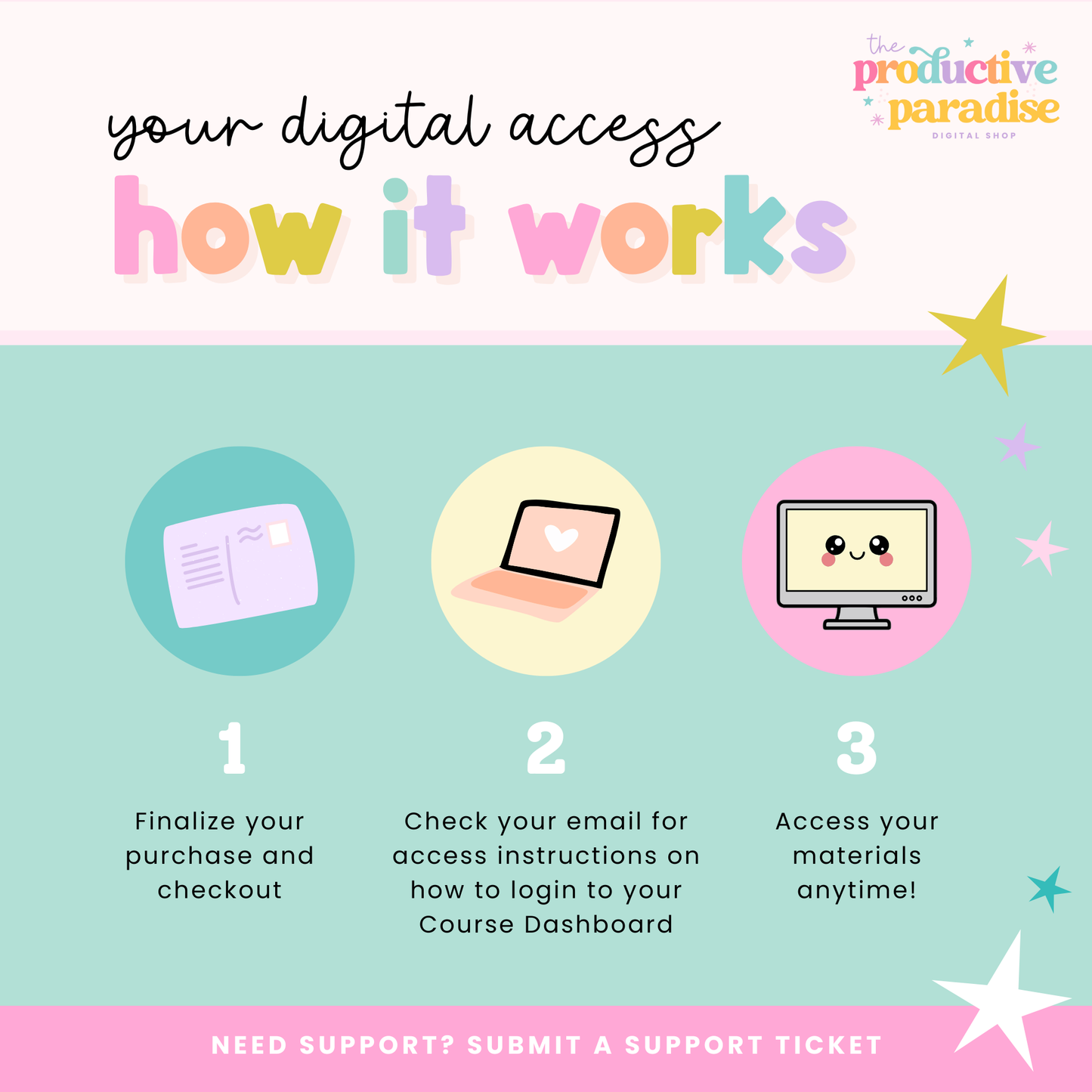
Digital Product Access
-
Course Dashboard
After purchase you'll receive an email with your login credentials to access any of the products you've purchased. If you are a returning student you can always login here.
-
Support & Tech Issues
If you run into a tech issue with course materials or have trouble accessing your product I'm just a Support Ticket away. I typically respond within 24-48 hours Monday through Friday.
-
Refund Policy
Due to the instant digital nature of these products, I do not offer refunds. Your satisfaction is important to me, if you ever run into an issue or need assistance, please don't hesitate to reach out!